
How to Approve Posts Before They Go on Your Facebook Timeline
Friends and Spammers can post just about anything to your Facebook Timeline. There is a way you can approve certain items before they go on your Timeline.
- Sign in to your Facebook account.
- On the left side of the wall click on Your Profile picture and a window will slide out.
- Click on Privacy and Settings

- In the Privacy Menu, on your left you will see a list of options.
- Click on the option that says Profile and Tagging.

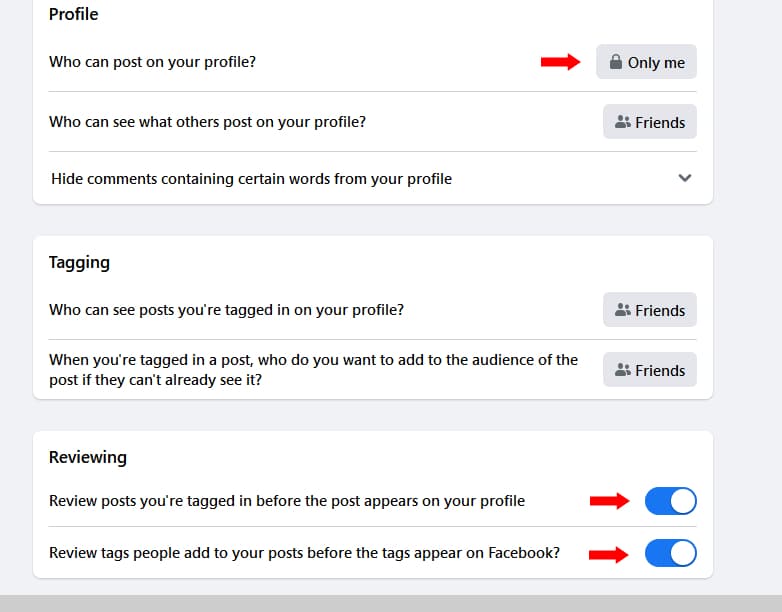
- You can change the settings as follows
- Who can post on your profile? – Only Me
- The other is Review posts you’re tagged in before the post appears on your profile – Enable
- Enabling means you will have to approve being tagged in a post before it appears on your Timeline.
- You can also enable Review Tags people add to your posts before the tags appear on Facebook?
For All your ICT Needs Talk to us
Call us: 0723 588705 / 0764 588705
Email: info@heartbitsolutions.com